Manual booking processes cost car rental businesses more than time. They create double bookings, idle vehicles, and frustrated customers who walk away permanently. Integrated real-time booking systems can increase direct bookings by 35-45% and cut admin time by 12-15%, a gap that separates growing operations from stagnant ones. This guide walks you through every step of building a real-time booking workflow that eliminates those headaches, optimizes fleet utilization, and raises revenue. You will leave with a clear framework, practical benchmarks, and the tools to make it happen.
Table of Contents
Key Takeaways
| Point | Details |
|---|
| Real-time booking benefits | Switching to a real-time workflow increases bookings, cuts admin time, and maximizes profitability. |
| Safe overbooking method | Overbooking only at category level and with fallback policies prevents costly errors and reputation loss. |
| Cloud software essentials | Start with cloud solutions for real-time sync, inventory segmentation, and basic dynamic rules before advanced forecasting. |
| Track the right KPIs | Measure utilization, ADR, RevPAR, and maintenance costs to optimize rental operations. |
| Dynamic pricing impact | Dynamic pricing solutions can boost car rental revenue by 8–12% compared to static models. |
Now that you're ready to move from manual bookings, let's examine what you need to start. The foundation of any real-time workflow is the right software stack. Think of your booking platform as the central nervous system of your operation. Every reservation, vehicle status update, and customer record flows through it. If that system runs on spreadsheets or disconnected tools, the entire operation suffers.
For small to medium-sized businesses (SMBs), real-time sync and inventory segmentation are the two non-negotiable starting points. Real-time sync means every booking instantly updates vehicle availability across all channels. Dynamic rules are automated conditions that control pricing, availability windows, and upgrade logic without manual input.
Here is what your setup checklist should include:
- Cloud-based booking software with API integration for channel management
- Inventory segmentation using ABC classification (high-demand, standard, low-demand vehicles)
- Stable internet infrastructure with a backup connection at each location
- Payment gateway integration for instant deposit collection
- GPS tracking integration for live vehicle location and status
Exploring the use cases for car rental software helps you match platform features to your specific operation size and business model. Once you have your core platform, review the system integration guide to connect third-party tools without creating data gaps.
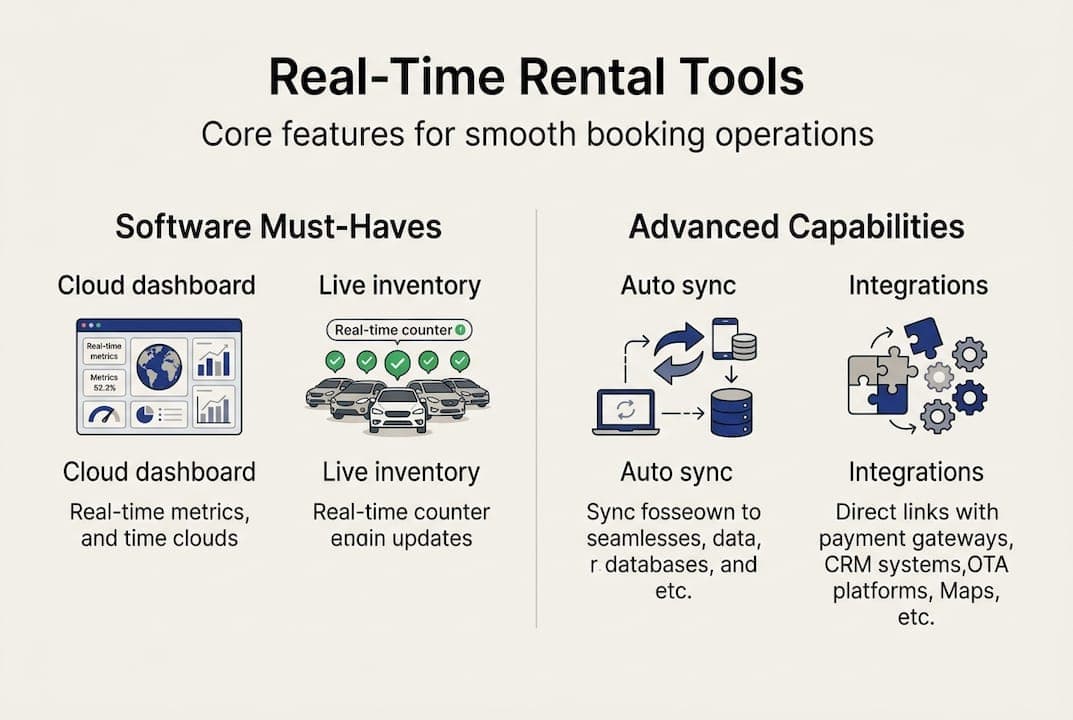
| Feature | Basic setup | Advanced setup |
|---|
| Booking sync | Manual refresh | Automatic real-time sync |
| Inventory view | Spreadsheet | Cloud dashboard |
| Pricing rules | Fixed rates | Dynamic pricing engine |
| Confirmation | Email only | SMS + email + app |
| Reporting | Weekly manual | Live analytics |
Pro Tip: Start with core cloud software and stable integrations before layering in AI-driven forecasting. Adding complexity too early creates configuration errors that undermine the entire workflow.
Step-by-step: Designing a real-time booking workflow
With your tools in place, it's time to build the workflow itself. A well-designed workflow removes every manual decision point that slows down confirmation and increases error risk. Here is the sequence that works for most SMB rental operations:
- Customer input: Reservation request enters through website, app, or OTA channel.
- Availability validation: System checks real-time inventory against requested dates and vehicle category.
- Dynamic pricing check: Pricing engine applies current demand rules and any active promotions.
- Inventory sync: Selected vehicle is immediately flagged as reserved across all channels.
- Confirmation dispatch: Automated confirmation sent via SMS and email within seconds.
- Contract generation: Digital rental agreement created and sent for e-signature.
- Reporting update: Booking data feeds into live utilization and revenue dashboards.
Learning how to automate rental bookings at each of these steps dramatically reduces the time your team spends on administrative tasks. Pairing that with real-time tracking for car rentals gives you live vehicle status that feeds directly into step two.
The results of this approach are well-documented. Integrated real-time systems drive a 70-85% fleet utilization rate and can save mid-sized businesses $30,000 to $45,000 annually in reduced admin costs and recovered revenue.

| Metric | Manual workflow | Real-time workflow |
|---|
| Fleet utilization | 50-60% | 70-85% |
| Booking confirmation time | 15-30 minutes | Under 60 seconds |
| Double booking rate | 3-8% | Near zero |
| Annual admin cost savings | Baseline | $30,000-$45,000 |
Pro Tip: Before going live, design a fallback process for overbooking situations. Know in advance which vehicle category upgrades you will offer and at what cost threshold. This protects customer satisfaction on day one.
Troubleshooting and avoiding common real-time booking mistakes
Having built your workflow, it's crucial to avoid costly mistakes. Even well-configured systems encounter problems when rules are not properly tested or when staff bypass automated processes during busy periods.
The most common workflow errors include:
- Inventory sync gaps: Occur when third-party channels update on a delay rather than in real time. Audit every channel connection monthly.
- Overbooking miscalculations: Happen when overbooking limits are set per individual vehicle rather than per vehicle category. This is a critical distinction.
- Delayed confirmations: Usually caused by email server bottlenecks or misconfigured SMS triggers. Test confirmation speed weekly.
- No-show policy gaps: Failing to enforce deposit collection leads to revenue loss that compounds over time.
- Manual override abuse: Staff bypassing the system during peak periods creates data inconsistencies that corrupt your reporting.
To handle overbooking safely, use this formula as your guide:
Max Reservations = Floor(Vehicle Count / (1 - No-Show Rate))
For example, if you have 10 vehicles in a category and a 10% historical no-show rate, your safe maximum is Floor(10 / 0.90) = 11 reservations. Overbooking strategies confirm that this approach is safe only when limited to one extra reservation per class and backed by actual historical data, not guesswork.
Your fleet management guide should document fallback policies clearly. When an overbooked situation occurs, offer a free upgrade to the next category before considering any cancellation. Customers remember how you handle problems far longer than they remember smooth transactions. Review how to prevent double bookings at the system configuration level to reduce the frequency of these situations entirely.
Pro Tip: Never overbook at the individual vehicle level. Always apply overbooking logic at the category level with a documented upgrade path ready before you need it.
Verifying workflow success: KPIs, metrics, and maintenance
After troubleshooting, the final step is verifying your system's effectiveness with actionable metrics and ongoing improvements. Tracking the right numbers tells you whether your workflow is performing or quietly leaking revenue.
The key KPIs for car rental operations every manager should monitor include:
- Fleet utilization rate: Target 70-85%. Below 65% signals pricing or availability issues.
- Average daily rate (ADR): Measures revenue per rented vehicle per day. Track weekly trends.
- Revenue per available vehicle (RevPAR): Combines utilization and ADR into one profitability indicator.
- Maintenance cost percentage: Keep this below 15% of total revenue. Anything higher erodes margins quickly.
- Booking conversion rate: Percentage of availability checks that result in confirmed reservations.
- Confirmation time: Average time from request to confirmed booking. Target under 60 seconds.
Predictive maintenance deserves special attention here. Connecting your booking data to maintenance scheduling reduces vehicle downtime by 22% on average, which directly increases the number of available booking days per vehicle per year.
Use your fleet reporting tools to build a weekly dashboard that surfaces these KPIs automatically. Pair that with regular reviews of your inventory management practices to catch category imbalances before they affect utilization scores. Set monthly benchmarking reviews where you compare current performance against your pre-workflow baseline. That comparison is the clearest proof of return on investment you can show stakeholders.
What most guides overlook: Smart overbooking and unified data flow
Beyond metrics, here's a hard-won lesson that most guides miss. The majority of real-time booking articles focus on setup steps and KPI lists. They rarely address the two factors that determine whether a workflow actually generates profit over the long term: category-level overbooking discipline and unified data flow.
Most operators who struggle with overbooking make the same mistake. They apply limits at the individual vehicle level, which creates rigid constraints that leave revenue on the table. Overbooking at the category level, with documented upgrade fallbacks, is both safer and more profitable. It gives you flexibility while protecting customer experience.
Unified data flow is equally important. When your booking system, pricing engine, maintenance scheduler, and GPS tracking share a single data layer, your forecasting becomes accurate enough to act on. Dynamic pricing engines outperform static pricing approaches by 8-12% in revenue, but only when they receive clean, real-time data from every part of the operation.
If your pricing tool cannot see maintenance schedules, it will price vehicles that are about to go offline. If it cannot see booking velocity, it will miss demand spikes. Explore dynamic pricing strategies that integrate these data sources from the start, not as an afterthought.
Next steps: Upgrade your rental workflow with Nomora
If you're ready for a smarter workflow, Nomora offers tailored solutions to make these strategies easy and profitable.
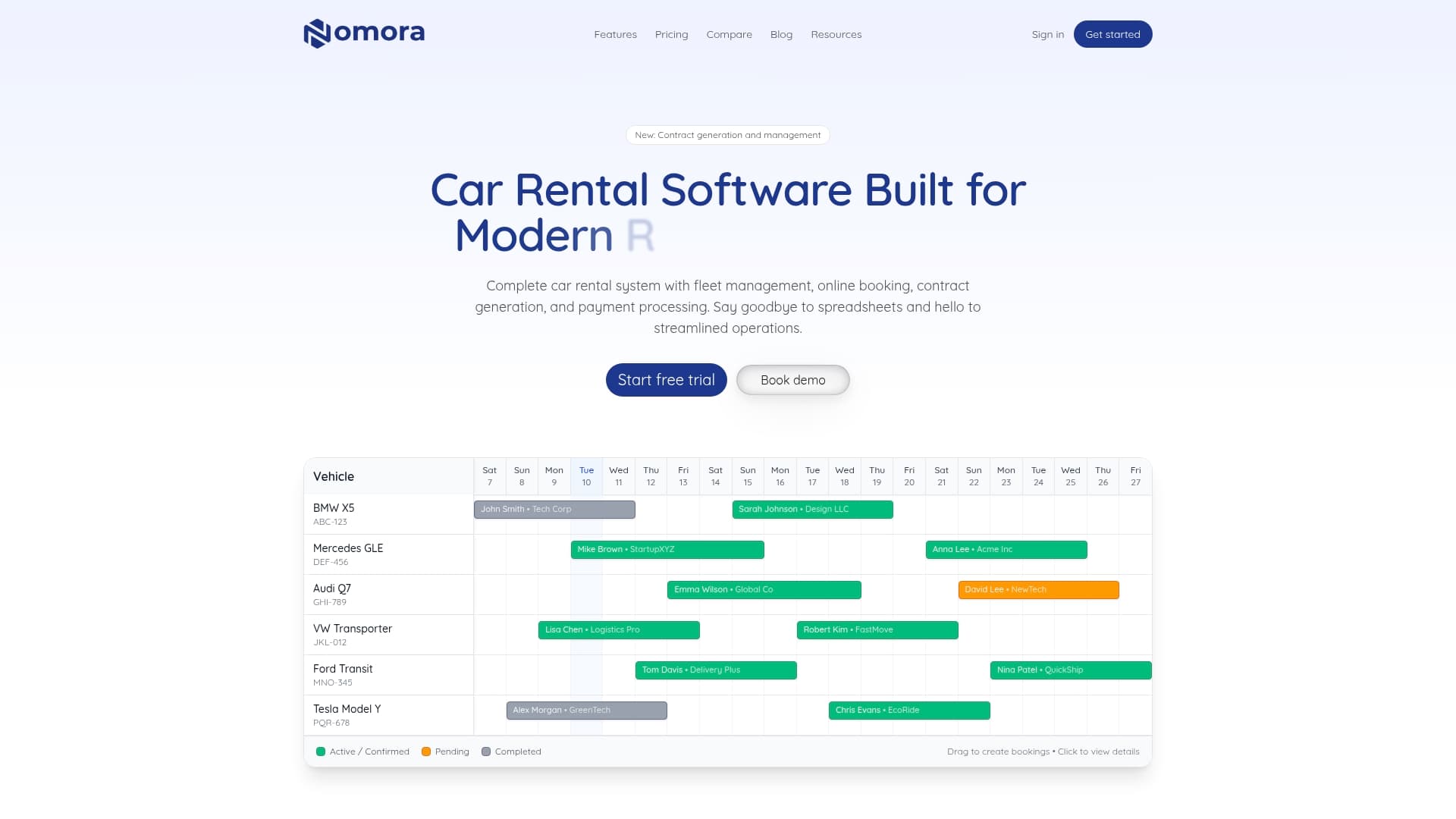
Nomora is a cloud-based platform built specifically for car rental businesses like yours. It handles real-time booking sync, fleet management, contract generation, dynamic pricing, and payment processing in one integrated system. You can explore car rental software use cases matched to your business size and goals, then manage bookings and contracts from a single dashboard accessible anywhere. For operators focused on maximizing vehicle uptime, Nomora's fleet management software connects maintenance scheduling directly to your booking calendar. Setup takes 24-48 hours, and the platform is GDPR-compliant with enterprise-grade security built in.
Frequently asked questions
How does real-time booking reduce double bookings in car rental?
Real-time booking workflows instantly sync inventory and availability across every channel, so every confirmed reservation reflects the current fleet status and prevents duplicate confirmations. Integrated systems eliminate the manual update delays that cause most double booking errors.
What is the safest way to implement overbooking in a real-time workflow?
Overbook at the vehicle category level using historical no-show data to set strict limits, and always have a documented upgrade or swap policy ready before any overbooked situation occurs. Data-driven overbooking limits with fallback policies are the only acceptable approach.
Which KPIs should I use to track workflow success?
Monitor fleet utilization rate (target 70-85%), ADR, RevPAR, and maintenance expenses below 15% of revenue for a complete picture of workflow performance. These core car rental KPIs give you the earliest signal when something needs adjustment.
Does dynamic pricing really work in real-time workflows?
Yes, real-time dynamic pricing consistently outperforms static models, with revenue gains of 8-12% reported by operators using integrated pricing engines fed by live booking and demand data.
Recommended
Ready to streamline your car rental business?
Book 30 minutes with the founder. We set up everything in this guide on your own vehicles, and migrate you out of Excel for free.