Key takeaways
| Point | Details |
|---|
| Automation benefits | Speeds processing by 80%, cuts errors by 70%, and boosts fleet use by 30%. |
| Prerequisites | Cloud software, clean data, internet connectivity, and staff readiness. |
| Implementation steps | Select platform, import data, integrate systems, configure rules, train staff, test. |
| Common mistakes | Inadequate training, poor data sync, skipping payment integration. |
| Expected outcomes | Higher booking volume, faster processing, improved utilization, measurable ROI. |
Introduction to rental booking automation
Rental booking automation replaces manual reservation methods with integrated software that handles bookings, payments, and fleet tracking automatically. Instead of spreadsheets and phone calls, you get real-time visibility into vehicle availability and instant confirmation for customers.
Manual challenges plague traditional car rental operations:
- Slow processing creates customer wait times and lost bookings
- Data inconsistencies between systems cause double bookings
- Manual entry errors lead to incorrect pricing and contract issues
- Limited visibility into fleet status reduces utilization rates
Automation delivers measurable improvements. Cloud automation can reduce booking errors by up to 70%, drastically improving accuracy and customer satisfaction. Processing speeds jump as systems handle reservations instantly without human delays.
Integrated platforms connect your booking interface directly to payment gateways, GPS tracking, and fleet management databases. When a customer reserves a vehicle, the system updates availability across all channels simultaneously, preventing conflicts. You see which cars are rented, available, or in maintenance at any moment.
Car rental software centralizes operations into one dashboard where you manage reservations, contracts, and customer data. This integration eliminates the need to jump between multiple tools or manually sync information. For different business sizes, explore car rental software use cases or find solutions tailored for smaller operations through car rental software for small business options. Learn more about rental booking automation efficiency and its impact on the industry.
Before implementing automation, you need specific technology and organizational readiness in place. Missing these foundations creates implementation problems and delays.
Essential requirements include:
- Cloud-based software with payment gateway integration
- GPS tracking capability for real-time vehicle location
- Stable internet connectivity at all operational locations
- Consolidated booking and fleet data ready for import
- Staff commitment to learning new technology
Your current booking records, customer information, and fleet details must be digitized and standardized. Inconsistent data formats cause import errors and sync problems after migration. Clean your data before moving to automated systems.
Reliable internet becomes critical since cloud platforms require constant connectivity. Downtime affects booking capabilities and customer service. Evaluate your connection speed and consider backup solutions for uninterrupted operations.
Staff readiness matters as much as technology. Team members who resist change or lack technical confidence need extra support during transition. Schedule training time and assign tech-savvy staff as mentors.
Pro Tip: Create a spreadsheet template matching your new platform's import format and transfer all existing data into it weeks before migration. This preparation reveals data gaps early and makes the actual import smooth and error-free.
For guidance on connecting different systems effectively, review this car rental system integration guide that covers technical requirements and best practices.
Step-by-step implementation process
Implementing rental booking automation follows a structured sequence that minimizes disruption and maximizes success. Each step builds on the previous one.
- Select a cloud platform matching your business size and feature needs
- Consolidate all existing booking and fleet data into standardized formats
- Integrate payment gateways and GPS vehicle tracking systems
- Configure booking rules, availability sync, and automated notifications
- Conduct hands-on staff training with realistic booking scenarios
- Execute controlled testing and pilot launches before full rollout
Platform selection determines your capabilities for years ahead. Evaluate options based on integration flexibility, scalability, and support quality. Read how to choose best car rental software for detailed selection criteria.
Data consolidation takes longer than expected. Gather booking histories, customer profiles, vehicle specifications, and pricing rules. Import this information carefully, verifying accuracy at each stage.

Integration connects your booking system to payment processors and fleet tracking. Automated booking platforms integrating GPS tracking allow managers to monitor vehicle location and availability in real-time, which reduces misbookings and operational delays. This connection prevents double bookings when vehicles are already rented or in maintenance.
Configuration defines how your system behaves. Set minimum rental periods, blackout dates, pricing tiers, and automatic confirmation rules. Configure notifications for booking confirmations, payment reminders, and return alerts.
Staff training requires practical exercises, not just presentations. Have team members process test bookings, handle modifications, and resolve simulated conflicts. Typical setup completes within 24 to 48 hours for cloud platforms, but allow extra time for training.
Testing catches problems before customers encounter them. Process bookings across all channels, verify payment processing, and confirm that availability updates correctly. Run a pilot with select customers before announcing full availability.
For deeper technical details, check the car rental system integration guide and explore the complete guide car rental software 2026 for current best practices.
Common mistakes and troubleshooting tips
Even well-planned implementations encounter predictable problems. Recognizing these mistakes early saves time and frustration.
Mistake 1: Inadequate staff training leads to booking errors and system misuse. Employees revert to old manual methods when they lack confidence with new tools. Solution: Provide ongoing training sessions, create quick reference guides, and schedule refresher courses quarterly.
Mistake 2: Failing to synchronize fleet availability causes booking conflicts when the system shows vehicles as available despite being rented or under maintenance. Solution: Use fully integrated platforms that update availability instantly across all booking channels and staff interfaces.
Mistake 3: Skipping payment gateway integration forces manual payment processing, creating delays and customer dissatisfaction. Solution: Connect payment systems during initial setup and test thoroughly with small transactions before going live.
Mistake 4: Choosing expensive custom-built solutions without evaluating cloud SaaS alternatives wastes money and time for small to medium businesses. Solution: Analyze total cost and implementation timeline, favoring proven SaaS platforms that deploy faster and cost less.
Pro Tip: Build a troubleshooting checklist covering common issues like sync errors, payment failures, and notification problems. Review system logs weekly to spot patterns before they escalate into customer-facing problems.
Preventing conflicts requires vigilant monitoring. Learn specific techniques at how to prevent double bookings that cover real-time sync strategies and backup protocols.
Expected outcomes and success metrics
Automation delivers measurable improvements you can track monthly. Understanding these metrics helps you verify return on investment and identify areas needing adjustment.
Booking processing speed improves by up to 80%, cutting customer wait times from minutes to seconds. Customers complete reservations faster, improving satisfaction and reducing abandonment rates.
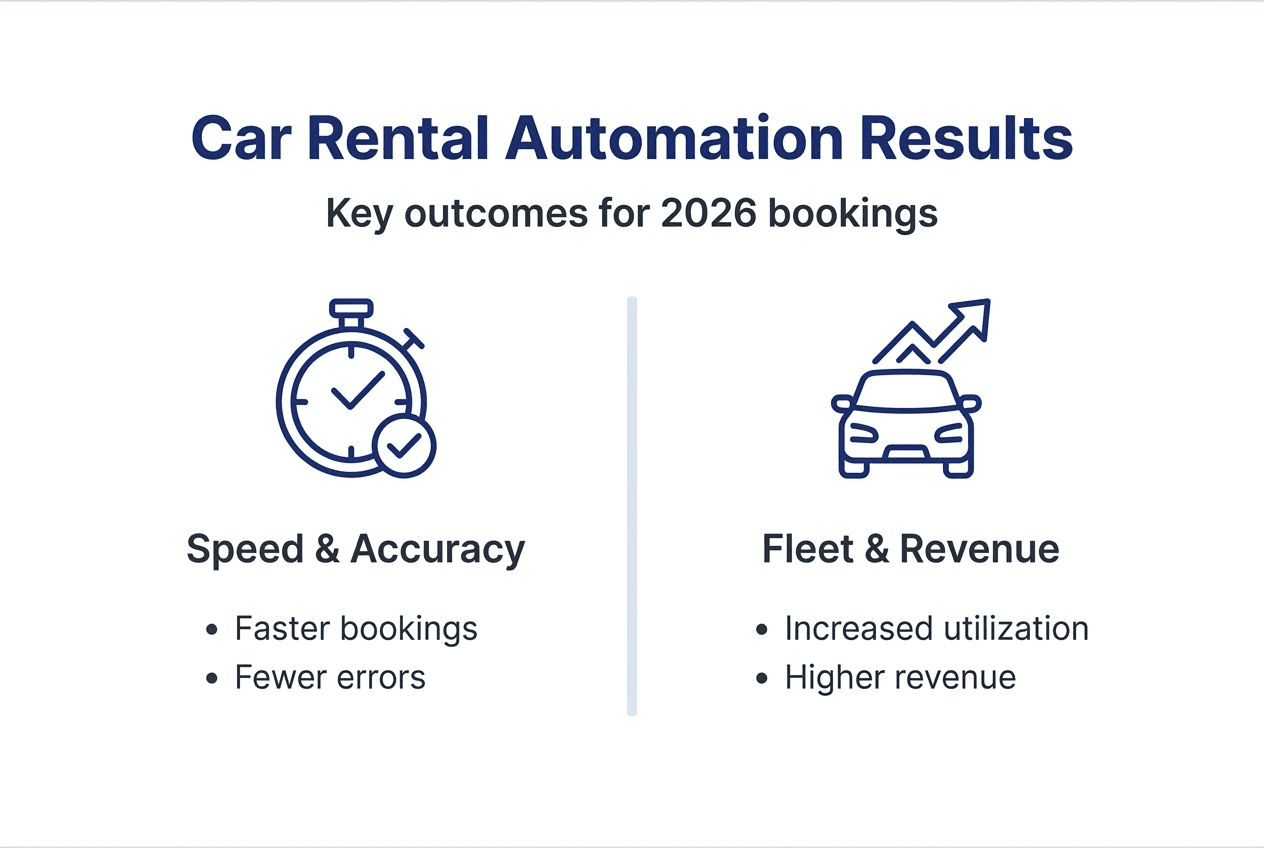
Real-time data visibility increases fleet utilization by 30% as you identify idle vehicles and adjust pricing dynamically. Better visibility means fewer cars sit unused while demand exists elsewhere.
Reservation volume grows as faster processing and multi-channel availability attract more customers. Businesses typically see booking increases of 25% to 35% within six months after automation.
| Metric | Before Automation | After Automation | Improvement |
|---|
| Booking processing time | 8-12 minutes | 1-2 minutes | 80% faster |
| Booking errors | 15-20% | 4-6% | 70% reduction |
| Fleet utilization | 55-60% | 75-80% | 30% increase |
| Monthly booking volume | 100 baseline | 125-135 | 25-35% growth |
Booking accuracy improves dramatically as manual entry disappears. Error rates drop by up to 70%, reducing customer complaints and operational corrections.
Monitoring these metrics monthly reveals trends and validates your automation investment. Track processing times, error frequencies, utilization rates, and revenue per vehicle. For more insights and ongoing guidance, explore the car rental software blog and guides. Additional research on booking automation efficiency gains and fleet utilization improvements with automation provides industry benchmarks.
Alternative automation approaches and tradeoffs
Two main automation paths exist: cloud-based SaaS platforms and custom-built solutions. Each offers distinct advantages and limitations.
Cloud SaaS platforms provide rapid deployment, typically going live within 24 to 48 hours. They include pre-built integrations for payment gateways, GPS tracking, and customer management. Monthly subscription pricing spreads costs over time without large upfront investment. Providers handle maintenance, updates, and security, reducing your IT burden. Scalability comes built in, allowing you to add vehicles and locations as you grow.
Custom-built solutions offer highly tailored features matching your exact workflows and business rules. You control every aspect of functionality and data handling. However, development takes months, costs significantly more, and requires ongoing IT support for maintenance and updates. Small to medium businesses rarely have the resources to justify this approach.
| Factor | Cloud SaaS Platform | Custom-Built Solution |
|---|
| Deployment time | 24-48 hours | 3-6 months |
| Initial cost | Low (monthly subscription) | High (development fees) |
| Maintenance | Provider handles | In-house IT required |
| Integration options | Pre-built, extensive | Fully customizable |
| Scalability | Instant, flexible | Requires redevelopment |
| Best for | SMBs, growing businesses | Large enterprises with unique needs |
The tradeoff centers on speed and cost versus customization. Most car rental businesses benefit more from proven SaaS solutions that deploy quickly and integrate easily with existing tools. Custom development makes sense only when you have unique requirements that no existing platform addresses and sufficient budget for ongoing maintenance.
Businesses with standard rental operations, limited IT staff, and growth goals should prioritize cloud platforms. Companies with complex, specialized workflows and dedicated technical teams might explore custom options cautiously.
Security and regulatory compliance considerations
Automated booking systems handle sensitive customer and payment data, making security and compliance non-negotiable. Neglecting these areas creates legal liability and reputation damage.
Top rental platforms include encryption for data transmission and storage, protecting customer information from unauthorized access. Secure authentication requires strong passwords and, ideally, two-factor verification for staff accounts. Regular security updates patch vulnerabilities as they emerge.
GDPR compliance applies when you handle personal data of EU residents, regardless of your business location. Requirements include obtaining consent for data collection, providing access to stored information, and enabling data deletion on request. Cloud providers with verified compliance certifications simplify meeting these obligations.
Key security practices include:
- End-to-end encryption for all customer and payment data
- Role-based access control limiting staff to necessary information only
- Automated daily backups stored in secure, separate locations
- Regular security audits and penetration testing
- Staff training on data protection and privacy policies
Choose platforms with documented security measures and compliance certifications. Ask providers about their data handling practices, backup procedures, and incident response plans. Verify they maintain regular third-party security audits.
Regular internal audits ensure your team follows security protocols. Review access logs, verify backup integrity, and test recovery procedures quarterly. Train staff on recognizing phishing attempts and handling customer data properly.
Compliance monitoring should be ongoing, not a one-time setup task. Regulations evolve, and your practices must adapt accordingly. Stay informed about changes affecting car rental businesses in your regions.
Optimize your booking automation with Nomora software
Implementing effective booking automation requires reliable, integrated technology built specifically for car rental operations. Nomora offers cloud-based solutions designed for businesses of all sizes, from independent operators to large fleets.
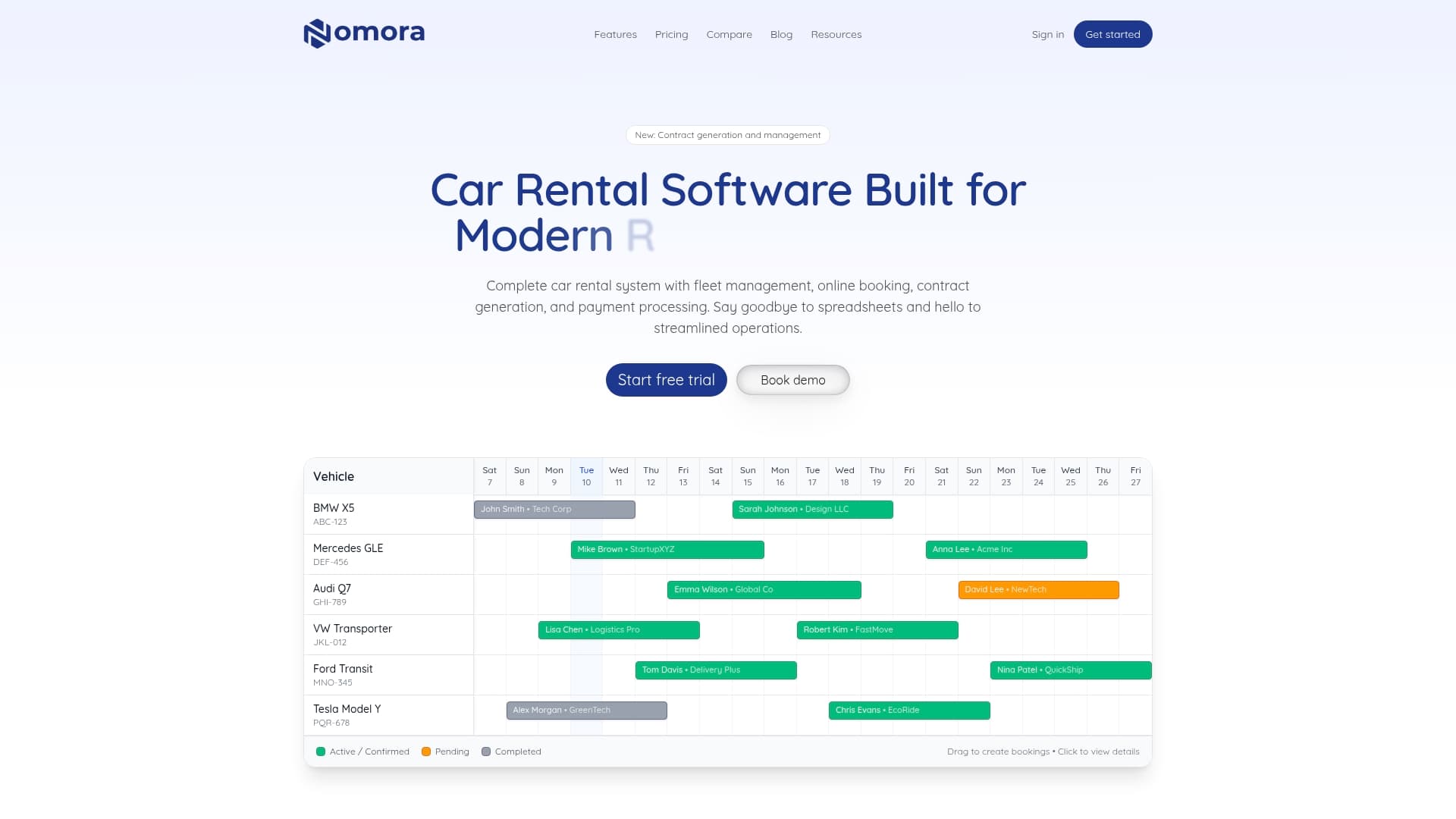
The platform combines booking management, fleet tracking, and payment automation into one seamless system. Real-time synchronization prevents conflicts while GPS integration provides instant vehicle location and status updates. Setup completes within 24 to 48 hours, getting you operational quickly.
Explore car rental software use cases to see how different rental businesses implement automation successfully. The fleet management software handles vehicle tracking and maintenance scheduling, while automated car rental payments streamline transactions and reduce manual processing. These integrated tools simplify your automation journey and accelerate booking efficiency improvements.
FAQ
What are the key benefits of automating rental bookings?
Automation increases booking processing speed by up to 80%, reduces errors by 70%, and improves fleet utilization by 30%. These improvements translate to faster customer service, fewer conflicts, and higher revenue potential as you handle more bookings with existing resources.
How long does it take to implement a rental booking automation system?
Cloud-based SaaS platforms typically deploy within 24 to 48 hours for basic setup and go live. Additional time is needed for staff training, data migration, and testing, usually adding one to two weeks for complete operational readiness.
Can I integrate payment and GPS tracking with booking automation?
Most modern cloud automation platforms support seamless integration with major payment gateways and GPS tracking systems. These connections enable real-time fleet monitoring, automatic payment processing, and instant availability updates across all booking channels.
What security measures are in place to protect customer data?
Rental booking platforms use end-to-end encryption, secure authentication, and GDPR-compliant data handling to protect customer information. Regular security updates, automated backups, and third-party audits ensure ongoing protection against threats and vulnerabilities.
Recommended